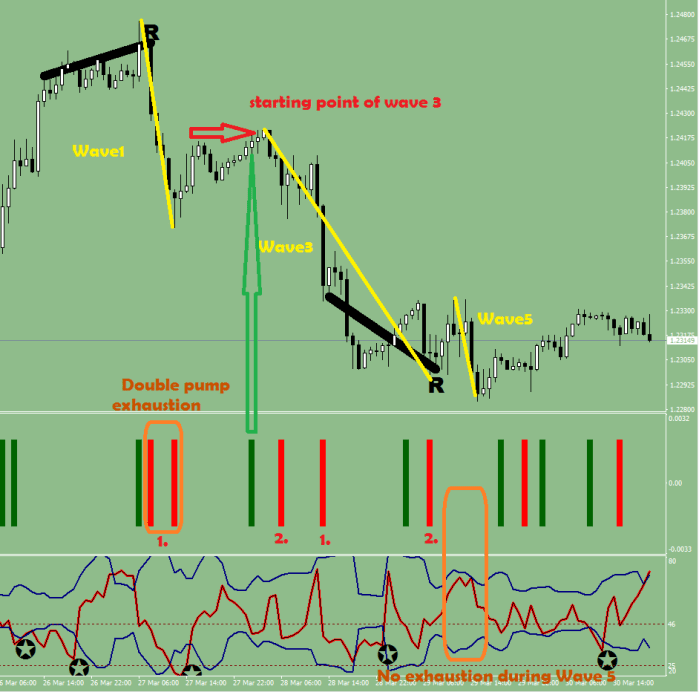
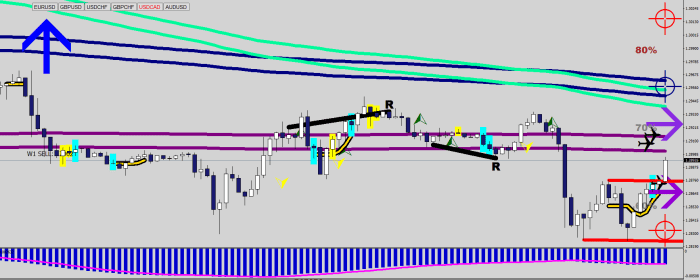
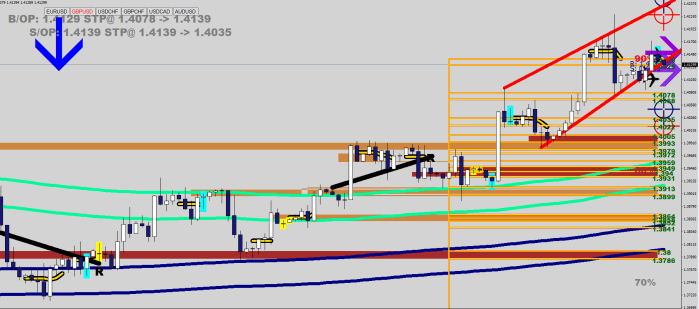
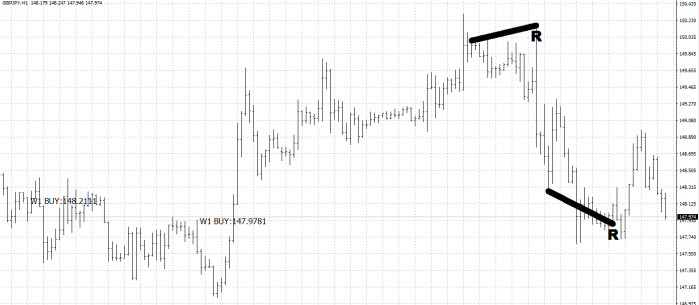
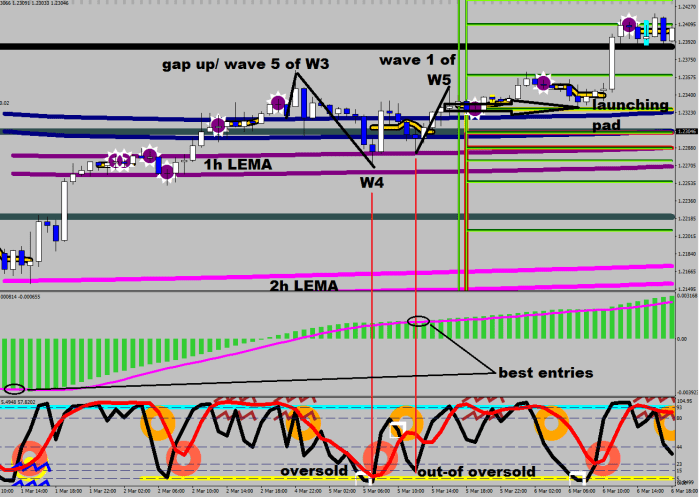
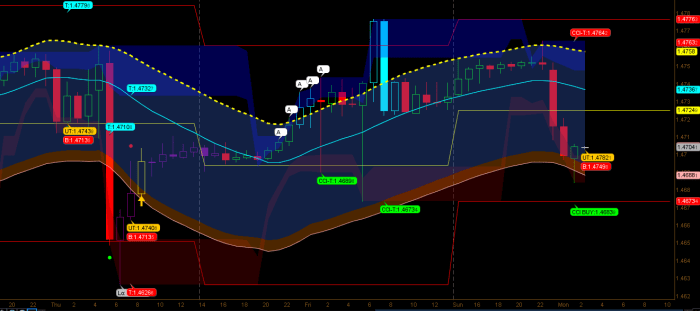
You are going to be seeing trading in a different streak after this article, guaranteed.
The ultimate reason for engaging in a trade should be that the risk could be defined very low. Meaning a reversal should take place right there or very close to it. Or perhaps a clean break.
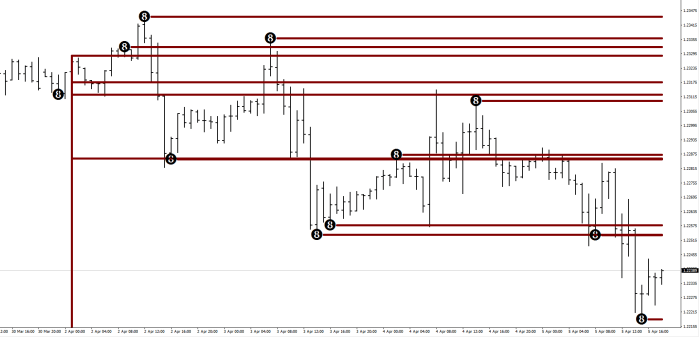
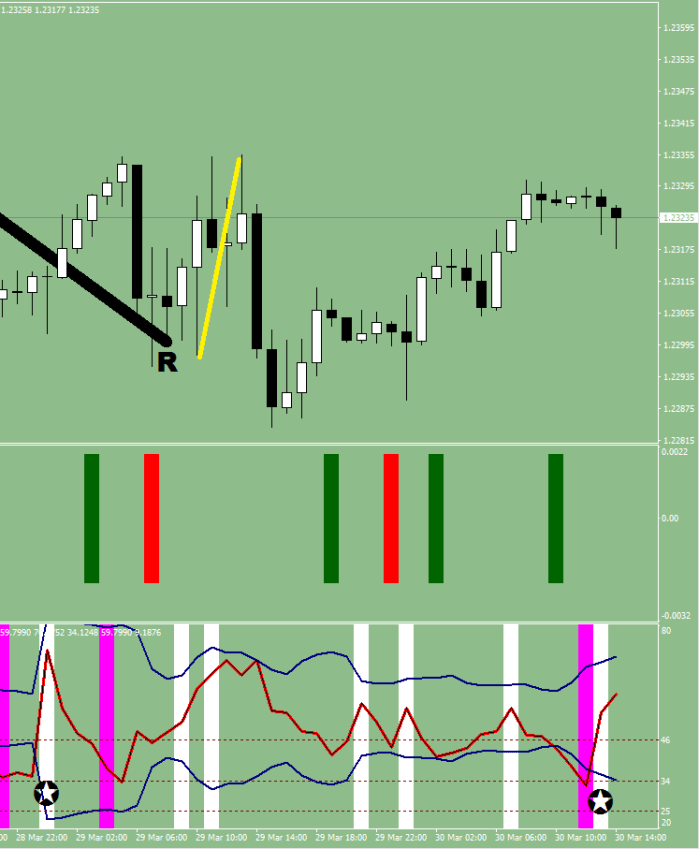
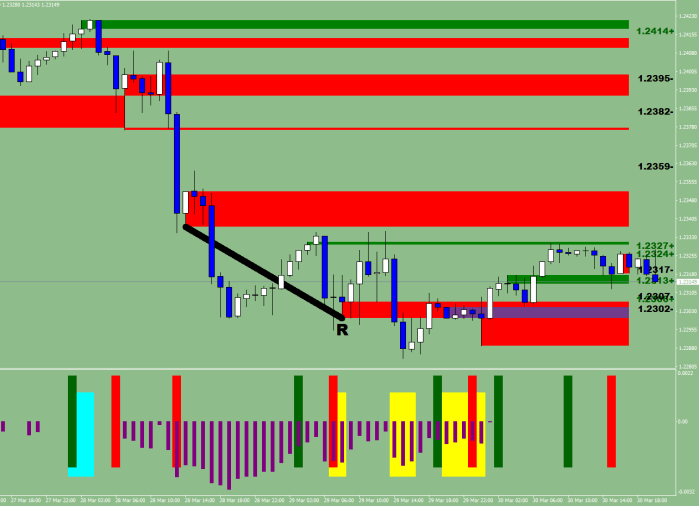
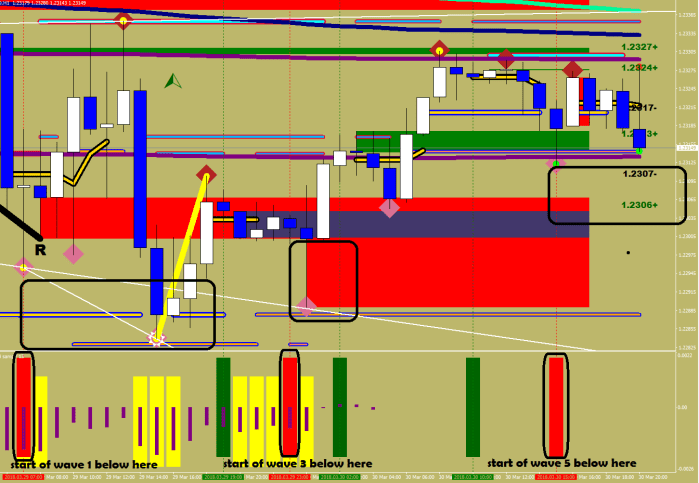
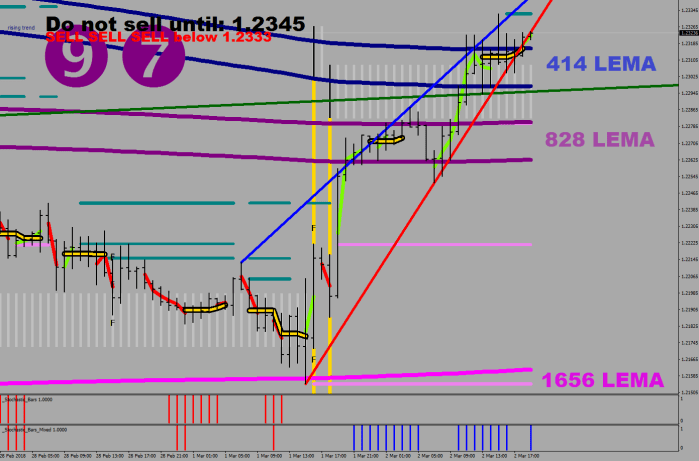
What would happen if I was to high-lite every 4 hour range that does not exceed say 15 pips?
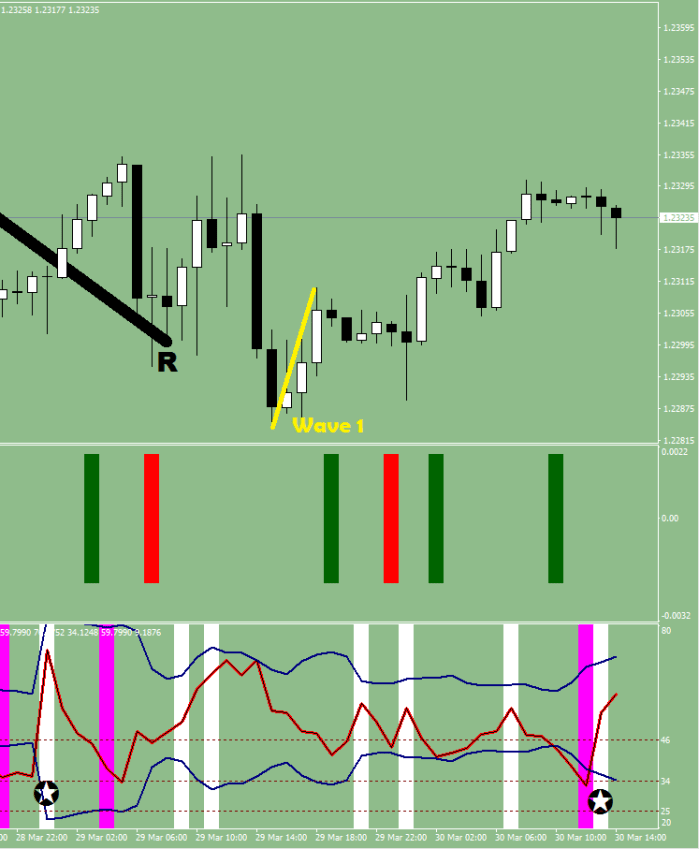
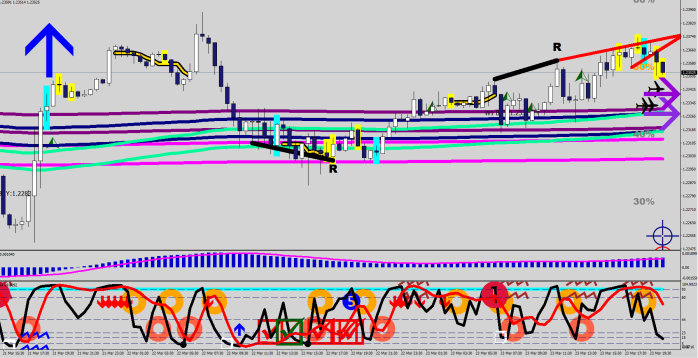
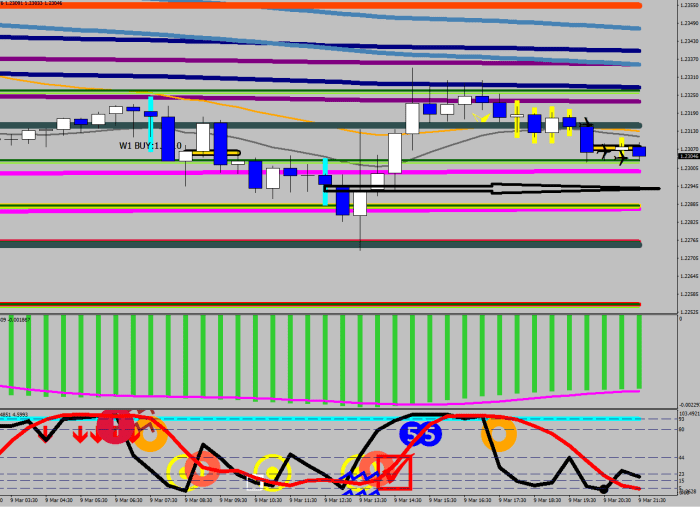
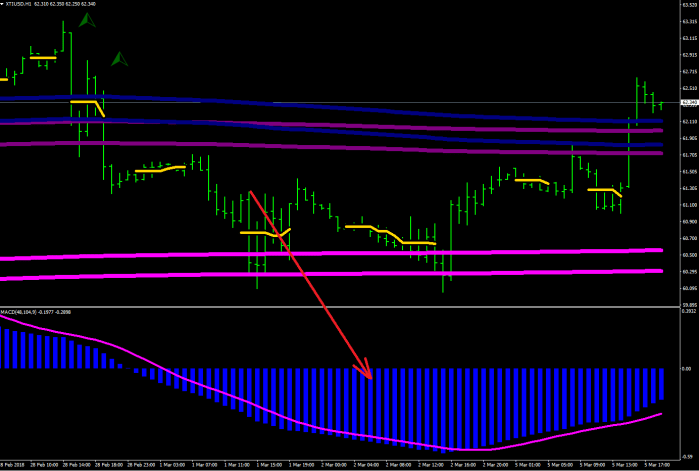
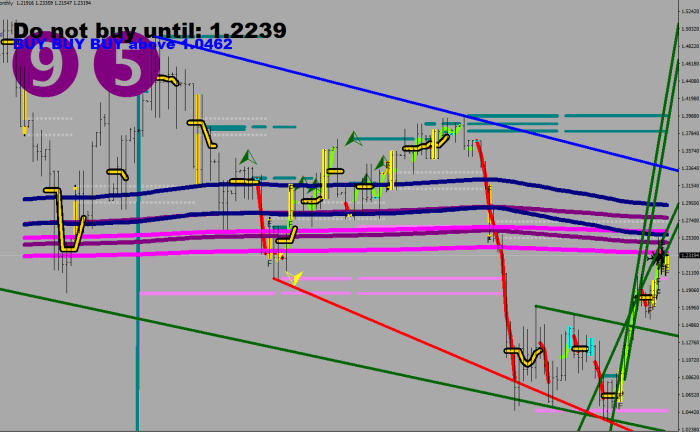
The chart would look like this:
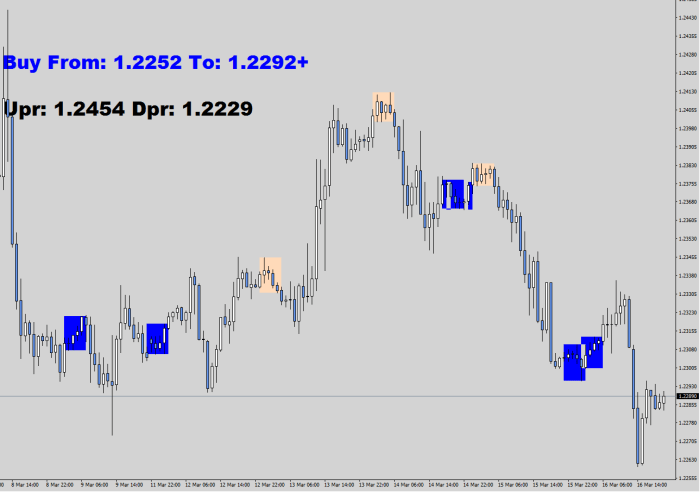
The coloring has a basic MACD and RSI filter { iRSI(NULL,0,2,PRICE_MEDIAN,i)<20 || iRSI(NULL,0,2,PRICE_MEDIAN,i)>80) ; iMACD(NULL,0,48,104,9,PRICE_CLOSE,MODE_SIGNAL,i)<iMACD(NULL,0,48,104,9,PRICE_CLOSE,MODE_MAIN,i) }
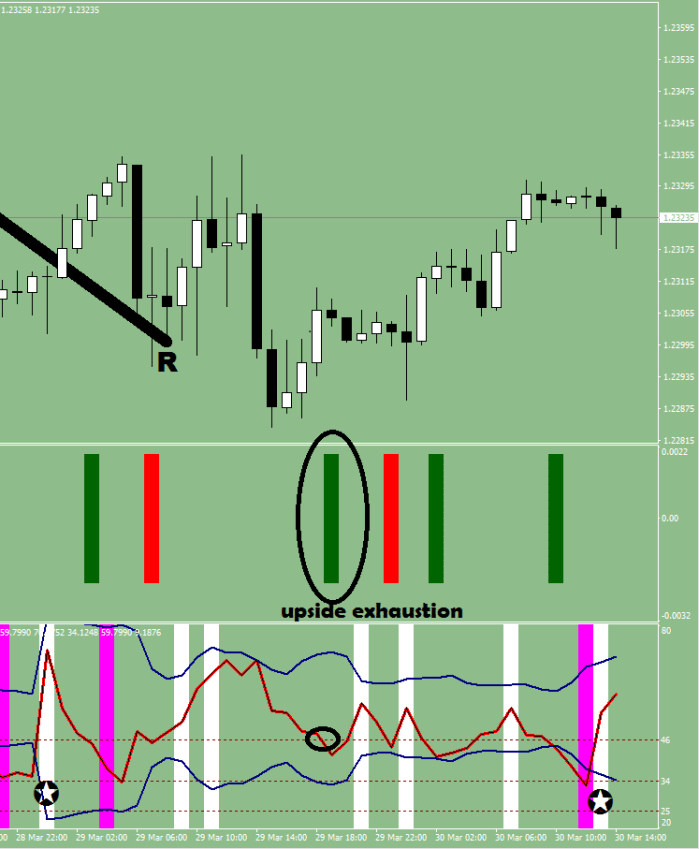
The deception is the following: everything is happening when nothing seems to be happening.
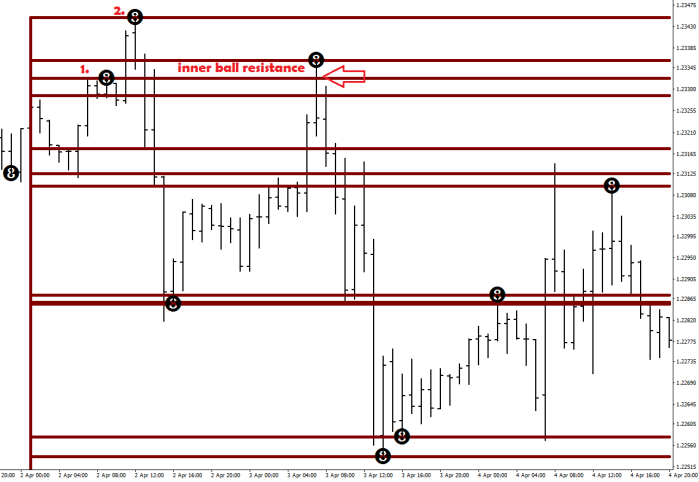
What you need to see here is that whenever price breaks the plotted box, usually there is not much – if any – kick back at all. Meaning: you could have your stop loss within 15 pips and there would not be much pressure on them, you’ll likely get 50 pips of gains even if you are shooting from the hips. Why 50? Because you lose a few pips from the starting point, and 55 pips… I’ll let Scott Barkley talk for his loaf of bread on this one.
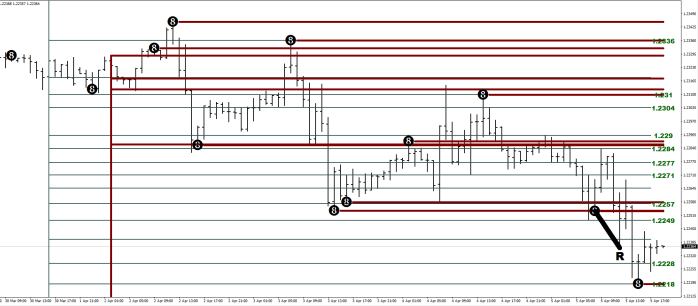
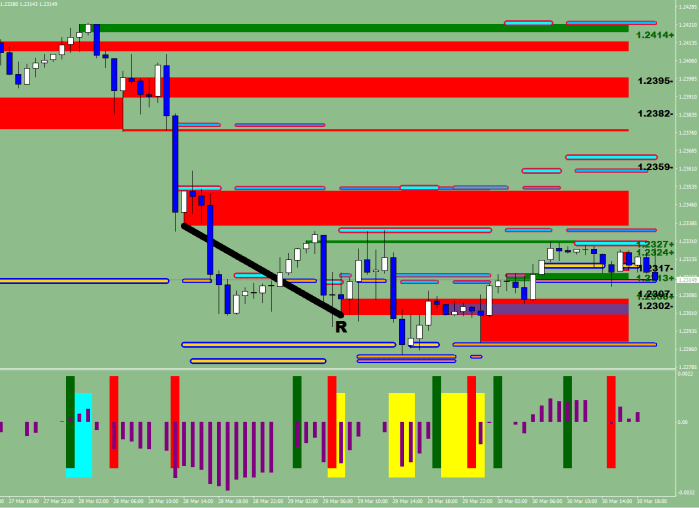
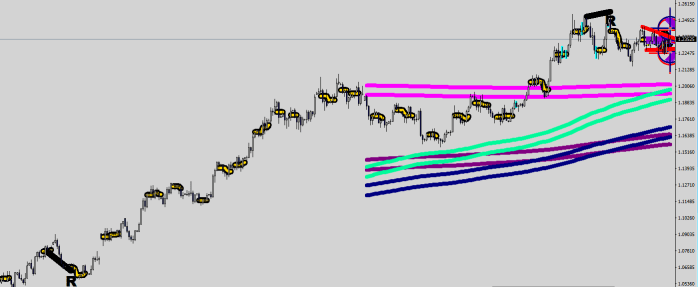
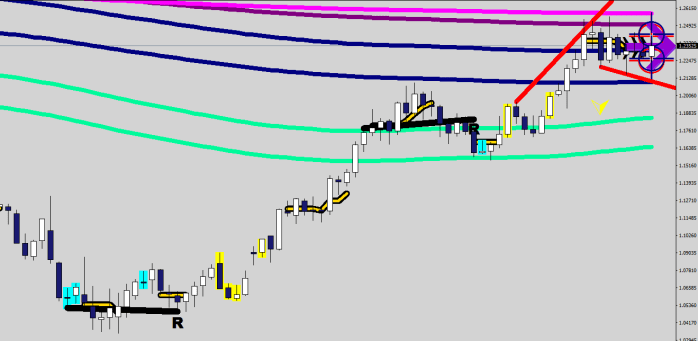
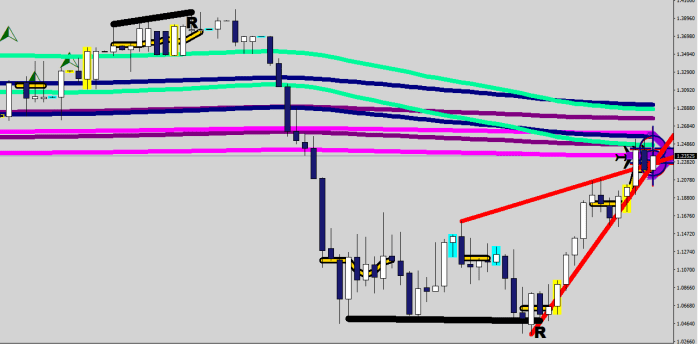
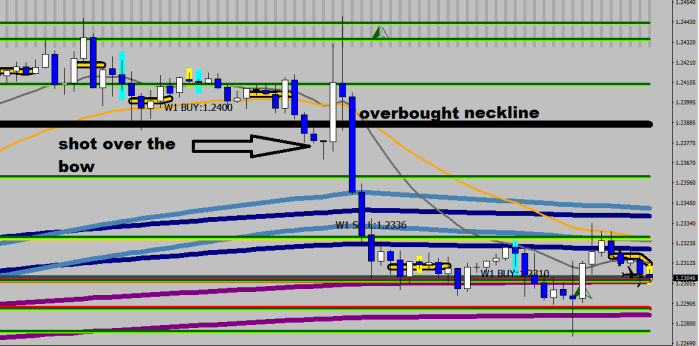
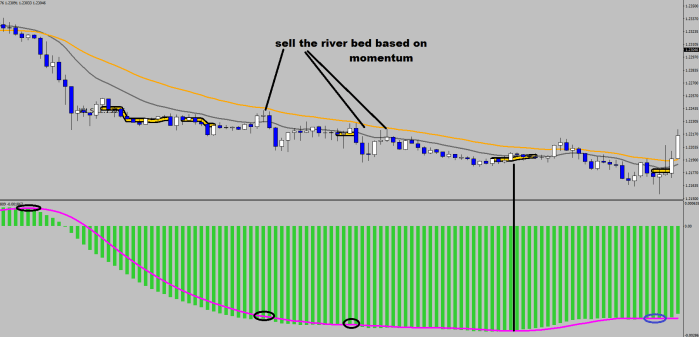
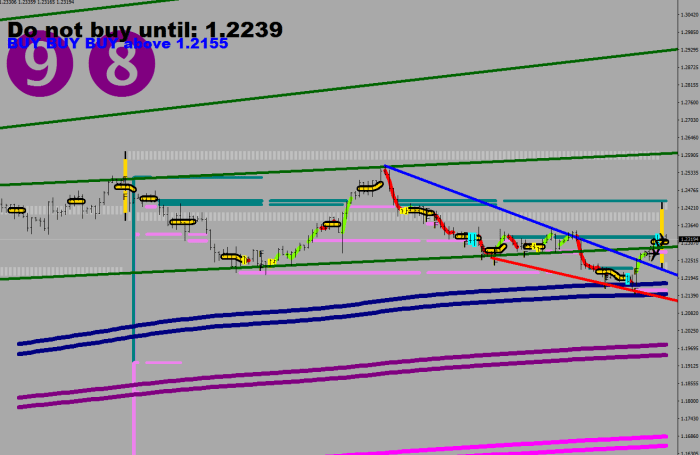
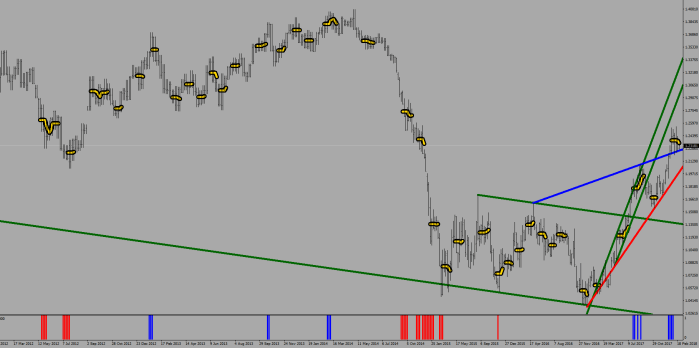
The next logical step is to bring the history out to the right margin, as such:
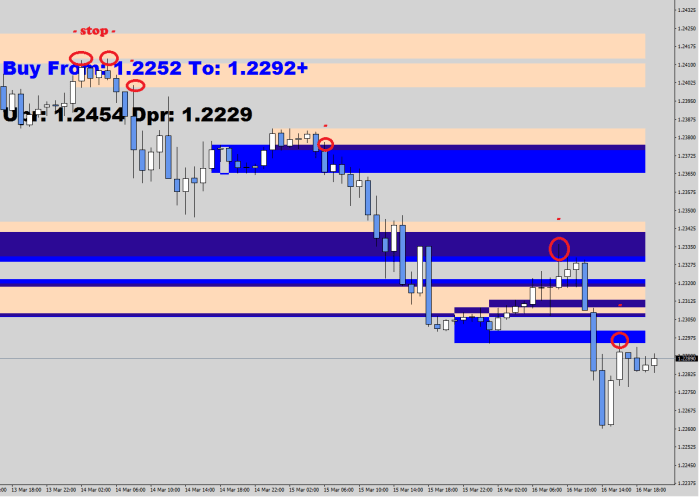
All of a sudden there is a 15-pip stop reality in front of you, that you have never seen so clearly before…
Yes, you had a bounce from the revolving door showed by the arrow…
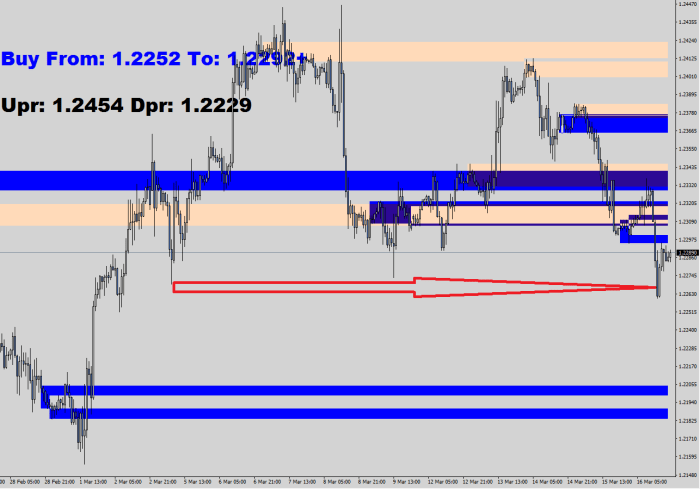
Can you see the problem? There is no 4h, 15 pips minus doji in sight. There is no foundation to launch back from. The exhaustion prompted resistance caused the bounce.
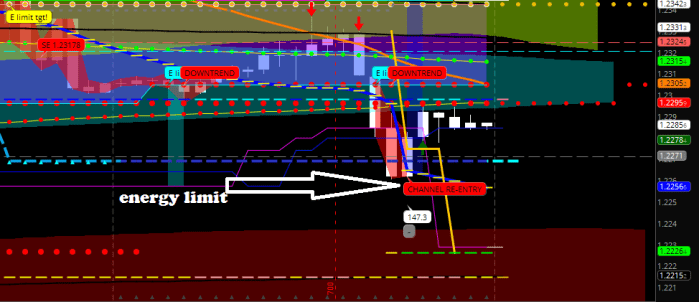
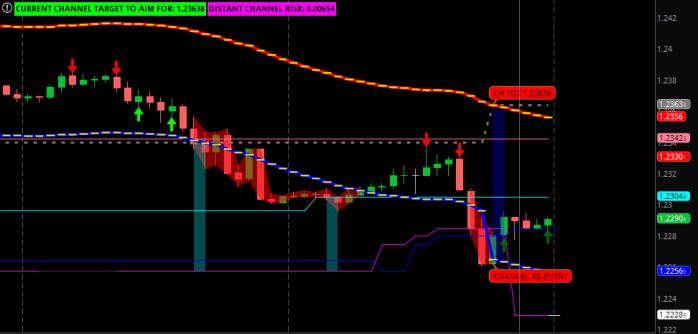
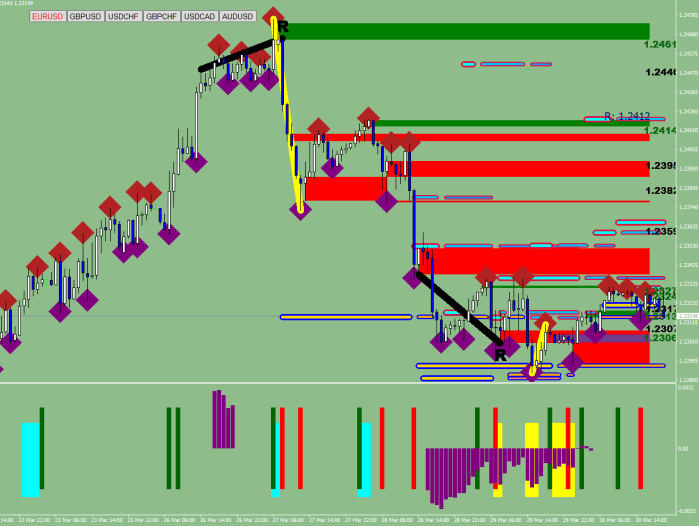
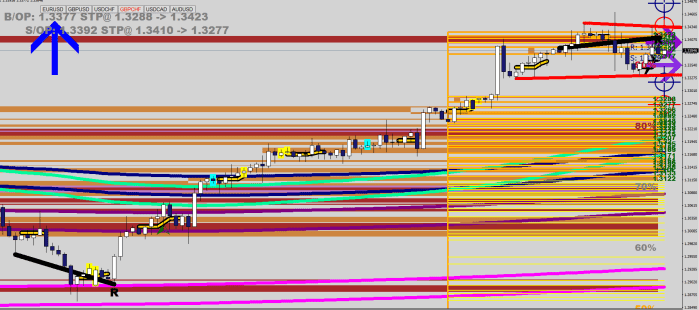
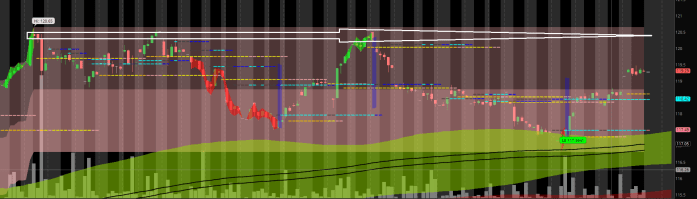
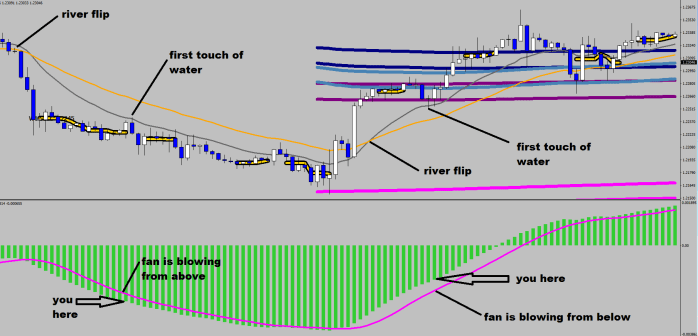
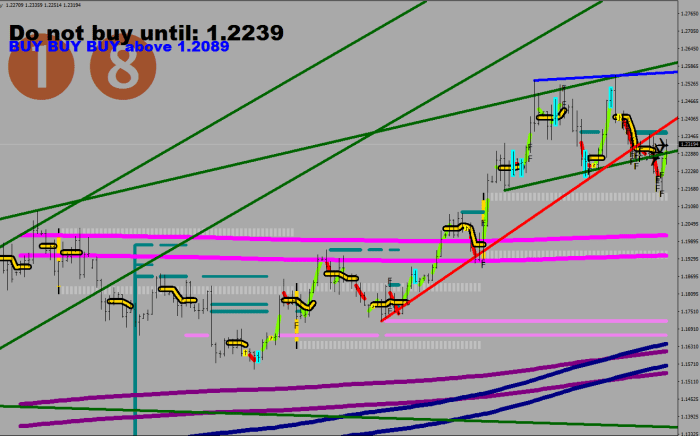
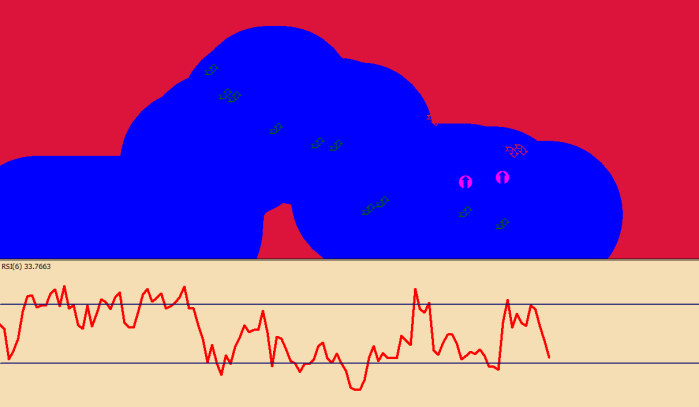
Energy limit beam shows what a single push (single discharge) could do from that high charge consolidation level-point that could be made in one direction. I wrote the routine in 2013. As you can see, nothing really ever changes in Forex.
Scott Barkley is talking about 1.1953 and 1.1783 referring to somebody by the name of Fibon Acchi 🙂
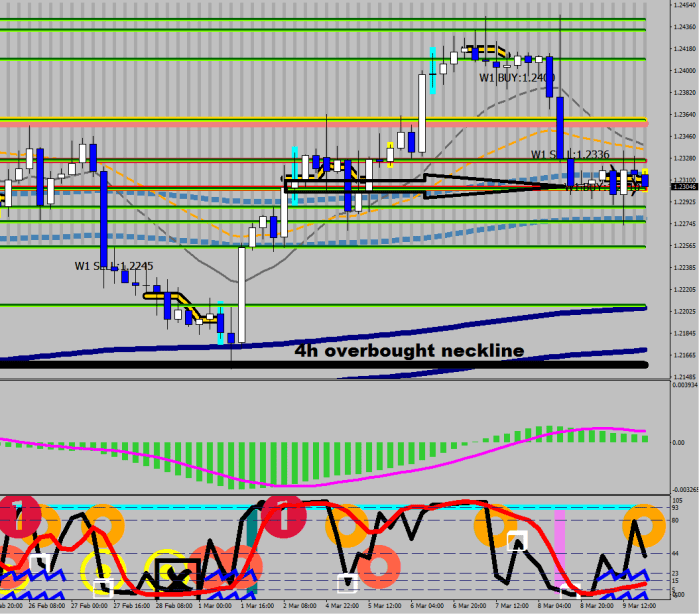
I see a projected distance target at 1.2226-29 and two layers of foundations at 1.2204 and 1.21295. I can’t say anything else, I’m not a target trader for crying out loud!
And if you excuse me, I would spend the next 3 minutes writing an algorithm that can act around the foundation levels with the 15 pips stop loss and start back testing soon afterwards.
Cherio!
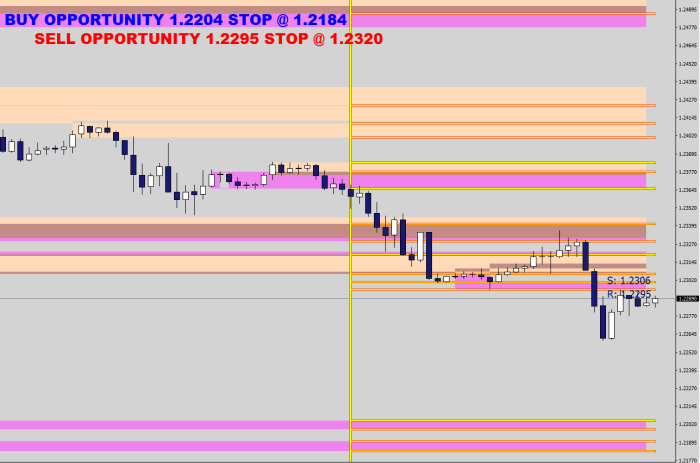
…after the press hours…
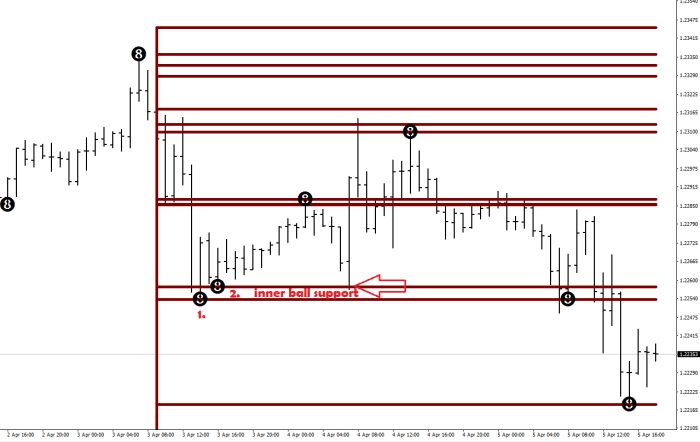
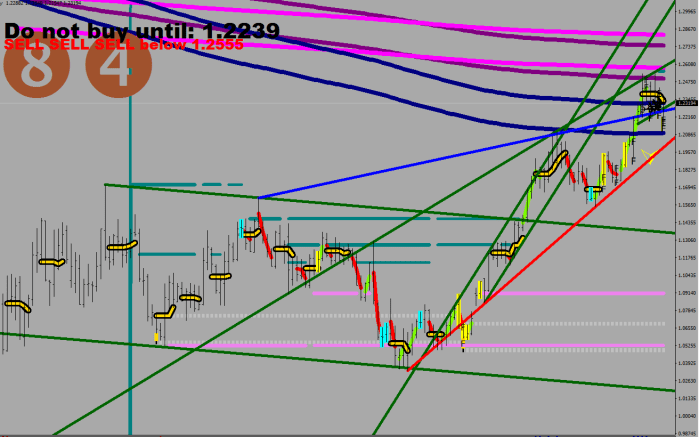
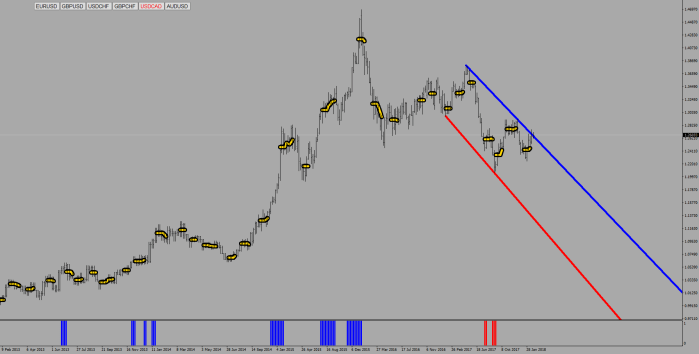
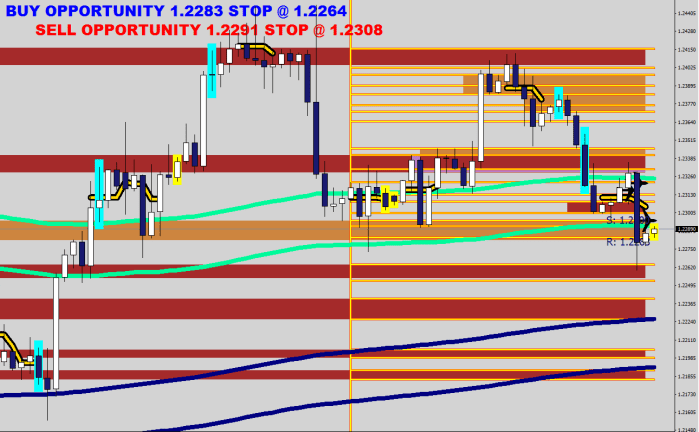
I was curious of the 4h version of the same thing (4×1 hour can be grouped arbitrarily, and would not necessarily yield the same results). It turned out that there actually was a support in the 1200 sample 4h History at 1.2264. See?
Appendix:
# Buy To – Sell To by Macdulio in 2013 for ThinkOrSwim
# Zigzag EMA Channel Targets included
input length = 36;
input price = close;
input reversalAmount = 0.6;
input showonlytoday = yes;
input displace = .9;
def ZZG = reference ZigZagHighLow(price, price, reversalAmount, 0, 1, 0);
def ZZG2 = if showonlytoday and !IsNaN(close(period = “DAY”)[-12]) then Double.NaN else reference ZigZagHighLow(price, price, reversalAmount, 0, 1, 0);
def zzSave = if !IsNaN(ZZG) then price else GetValue(zzSave, 1);
def chg = (price / GetValue(zzSave, 1) – 1) * 100;
def isUp = chg >= 0;
def flipu = if isUp == yes and isUp[1] == no then 1 else 0;
def flipd = if isUp == no and isUp[1] == yes then 1 else 0;
def EMA = ExpAverage(price, length);
def upval = if flipd then high[1] – EMA[1] else if flipu[22] != 1 and Sum(flipu, 22) < 2 then upval[1] else upval[1] * .8;
def upval2 = if flipd then high[1] – EMA[1] else upval2[1];
def dval = if flipu then EMA[1] – low[1] else if flipd[22] != 1 and Sum(flipd, 22) < 2 then dval[1] else dval[1] * .8;
def dval2 = if flipu then EMA[1] – low[1] else dval2[1];
def EMAP = if upval > 0 then EMA + upval * displace else EMAP[1] ;
def EMAP2 = if upval2 > 0 then EMA + upval2 * displace else EMAP2[1] ;
def EMAD = if dval > 0 then EMA – dval * displace else EMAD[1];
def EMAD2 = if dval2 > 0 then EMA – dval2 * displace else EMAD2[1];
def ema2 = if EMAP > .02 then EMAP else Double.NaN;
def ema3 = if EMAD > .02 then EMAD else Double.NaN;
plot ema44 = if EMAP2 > .02 then EMAP2 else Double.NaN;
ema44.SetLineWeight(4);
ema44.SetDefaultColor(Color.RED);
plot ema4 = if EMAP2 > .02 then EMAP2 else Double.NaN;
ema4.SetLineWeight(2);
ema4.SetPaintingStrategy(PaintingStrategy.DASHES);
ema4.SetDefaultColor(Color.YELLOW);
plot ema55 = if EMAD2 > .02 then EMAD2 else Double.NaN;
ema55.SetLineWeight(4);
ema55.SetDefaultColor(Color.BLUE);
plot ema5 = if EMAD2 > .02 then EMAD2 else Double.NaN;
ema5.SetLineWeight(2);
ema5.SetPaintingStrategy(PaintingStrategy.DASHES);
ema5.SetDefaultColor(Color.YELLOW);
input TF = {default “1 HOUR”, “78 MIN”, “4 HOURS”, “DAY”, “WEEK”, “MONTH”};
def CI = ( ( Log(Sum(TrueRange(high(period = TF), close(period = TF), low(period = TF)), 14) / (Highest(if high(period = TF) >= close(period = TF)[1] then high(period = TF) else close(period = TF)[1], 14) – Lowest( if low(period = TF) <= close(period = TF)[1] then low(period = TF) else close(period = TF)[1], 14))) / Log(10)) / (Log(14) / Log(10))) * 100;
input TFS = {default “DAY”, “WEEK”, “MONTH”};
def slkf = reference StochasticFull(77, 22, 9, 0, high, low, close, 1, “SMA”).FullK;
def diff = 100 – (75 – (slkf – (88 – CI))) * .8;
def dhi14 = Highest(high(period = “DAY”), 14);
def dlo14 = Lowest(low(period = “DAY”), 14);
def dei80 = dhi14 – ((dhi14 – dlo14) / 100 * 19);
def dos20 = dhi14 – ((dhi14 – dlo14) / 100 * 79);
def top = (dei80[2] – dos20[1]) * .7 + dos20;
def bot = (dei80[2] – dos20[1]) * .3 + dos20;
def ave = (top + bot) / 2;
plot dcr = if Crosses(if showonlytoday and !IsNaN(close(period = “DAY”)[-12]) then Double.NaN else diff, 62, CrossingDirection.BELOW) and CI > 34 and high < ema4 then high else Double.NaN;
dcr.SetPaintingStrategy(PaintingStrategy.ARROW_DOWN);
dcr.SetLineWeight(4);
dcr.AssignValueColor(if close > ave then Color.Red else Color.Yellow);
plot ucr = if Crosses(if showonlytoday and !IsNaN(close(period = “DAY”)[-12]) then Double.NaN else diff, 34, CrossingDirection.ABOVE) and low > ema5 then low else Double.NaN;
ucr.SetPaintingStrategy(PaintingStrategy.ARROW_UP);
ucr.SetLineWeight(4);
ucr.AssignValueColor(if close < ave then Color.DARK_GREEN else Color.GREEN);
AddChartBubble(if showonlytoday and !IsNaN(close(period = “DAY”)[-8]) then Double.NaN else flipd, high, “CHANNEL RE-ENTRY”, CreateColor(0, 162, 232), yes);
AddChartBubble(if showonlytoday and !IsNaN(close(period = “DAY”)[-8]) then Double.NaN else flipd, ema5, Concat(“CH TGT:”, ema5), CreateColor(0, 162, 232), no);
AddCloud(if high[1] > ema44[1] and close < ema44 then ema44 else Double.NaN, ema5, Color.BLUE, Color.BLUE);
AddChartBubble(if showonlytoday and !IsNaN(close(period = “DAY”)[-8]) then Double.NaN else flipu, low, “CHANNEL RE-ENTRY”, Color.RED, no);
AddChartBubble(if showonlytoday and !IsNaN(close(period = “DAY”)[-8]) then Double.NaN else flipu, ema4, Concat(“CH TGT:”, ema4), Color.RED, yes);
AddCloud(if low[1] < ema5[1] and close > ema5 then ema4 else Double.NaN, ema5, Color.BLUE, Color.BLUE);
def aim = if flipd then ema5 else if flipu then ema4 else aim[1];
def cmem = if flipu or flipd then 0 else if Crosses(aim, close, CrossingDirection.ANY) then 1 else Double.NaN;
def cmemh = if cmem != cmem[1] then cmem else cmemh[1];
plot chaim = if aim > .02 then aim else Double.NaN;
chaim.SetStyle(Curve.SHORT_DASH);
chaim.AssignValueColor(if cmemh > 0 then Color.BLACK else Color.YELLOW);
chaim.SetLineWeight(3);
AddLabel(aim > .02, Concat(“CURRENT CHANNEL TARGET TO AIM FOR: “, aim), if aim < close then Color.RED else Color.GREEN);
def distance = (ema2 + ema4) / 2 – (ema3 + ema5) / 2;
def dc = Crosses(high[1], ema2[1], CrossingDirection.BELOW) or Crosses(high[1], ema4[1], CrossingDirection.BELOW);
def uc = Crosses(low[1], ema3[1], CrossingDirection.ABOVE) or Crosses(low[1], ema5[1], CrossingDirection.ABOVE);
def stup = if dc then high[1] + distance / 2 else stup[1];
plot stupper = if showonlytoday and !IsNaN(close(period = “DAY”)[-20]) then Double.NaN else if stup > .02 then stup else Double.NaN;
stupper.AssignValueColor(if close > EMA then Color.RED else Color.DARK_RED);
def LEMAU = ExpAverage(high, 36 * 23);
def LEMAL = ExpAverage(low, 36 * 23);
def prevdmove = (high(period = “Day”)[1] – low(period = “Day”)[1]) / ((high(period = “Day”)[1] + low(period = “Day”)[1] + close(period = “Day”)[1]) / 3) * 100;
AddChartBubble(if showonlytoday and !IsNaN(close(period = “DAY”)[-8]) then Double.NaN else stupper[1] != stupper[2] and stupper < LEMAU, stupper[1], Concat(“SELL TO:”, stupper), if prevdmove < 1 then Color.RED else Color.GRAY, yes);
def stdn = if uc then low[1] – distance / 2 else stdn[1];
plot stlower = if showonlytoday and !IsNaN(close(period = “DAY”)[-20]) then Double.NaN else if stdn > .02 then stdn else Double.NaN;
stlower.AssignValueColor(if close < EMA then Color.MAGENTA else Color.PLUM);
AddChartBubble(if showonlytoday and !IsNaN(close(period = “DAY”)[-8]) then Double.NaN else stlower[1] != stlower[2] and stlower > LEMAL, stlower[1], Concat(“BUY TO:”, stlower), if prevdmove < 1 then Color.MAGENTA else Color.GRAY, no);
AddChartBubble(if showonlytoday and !IsNaN(close(period = “DAY”)[-8]) then Double.NaN else CI[2] < 34 and CI[3] > 34, close[2], “CI GUIDANCE”, if prevdmove < 1 then Color.MAGENTA else Color.GRAY, no);
def stdn2 = if uc then stdn[1] else stdn2[1];
plot stlower2 = if showonlytoday and !IsNaN(close(period = “DAY”)[-20]) then Double.NaN else if stdn2 > .02 then stdn2 else Double.NaN;
stlower2.SetDefaultColor(Color.BLUE);
AddCloud(if high > ema4 then high else Double.NaN, low, Color.GREEN, Color.BLACK);
AddCloud(if low < ema5 then high else Double.NaN, low, Color.RED, Color.BLACK);
AddCloud(if high > ema4 then high else Double.NaN, low, Color.GREEN, Color.BLACK);
AddCloud(if low < ema5 then high else Double.NaN, low, Color.RED, Color.BLACK);
AddLabel(high > ema4, “ABOVE CHANNEL BUYING!!!”, Color.GREEN);
AddLabel(low < ema5, “BELOW CHANNEL SELLING!!!”, Color.RED);
AddLabel(yes, Concat(“DISTANT CHANNEL RISK: “, if AbsValue(close – ema4) > AbsValue(close – ema5) then AbsValue(close – ema4) else AbsValue(close – ema5)), Color.MAGENTA);
input TF2 = {default “4 HOURS”, “DAY”, “WEEK”};
def price2 = hl2(period = TF);
input length2 = 88;
def realPart = fold indexR = 0 to length2 with accuR = 0 do accuR + GetValue(price2, indexR, length2 – 1) * Cos(2 * Double.Pi * indexR / length2);
def imagPart = fold indexI = 0 to length2 with accuI = 0 do accuI + GetValue(price2, indexI, length2 – 1) * Sin(2 * Double.Pi * indexI / length2);
def phase1 = if AbsValue(realPart) > 0.001 then ATan(imagPart / realPart) else (Double.Pi / 2 * Sign(imagPart));
def phase2 = if realPart < 0 then phase1 + Double.Pi else phase1;
def phase = if phase2 < 0 then phase2 + 2 * Double.Pi else if phase2 > 2 * Double.Pi then phase2 – 2 * Double.Pi else phase2;
def “Sine Wave” = Cos(phase);
def “Lead Wave” = Cos(phase + Double.Pi / 4);
def ZeroLine = 0;
def support = if “Lead Wave” crosses above “Sine Wave” then low else support[1];
def resistance = if “Lead Wave” crosses below “Sine Wave” then high else resistance[1];
plot s = support;
plot r = resistance;
AddCloud(if low < r and close > r then stupper else Double.NaN, r, Color.CYAN, Color.CYAN);
AddCloud(if high>s and close < s then s else Double.NaN, stlower, Color.CYAN, Color.CYAN);
AddCloud(if low < s and close > s then stupper else Double.NaN, s, Color.CYAN, Color.CYAN);
AddCloud(if high>r and close < r then r else Double.NaN, stlower, Color.CYAN, Color.CYAN);